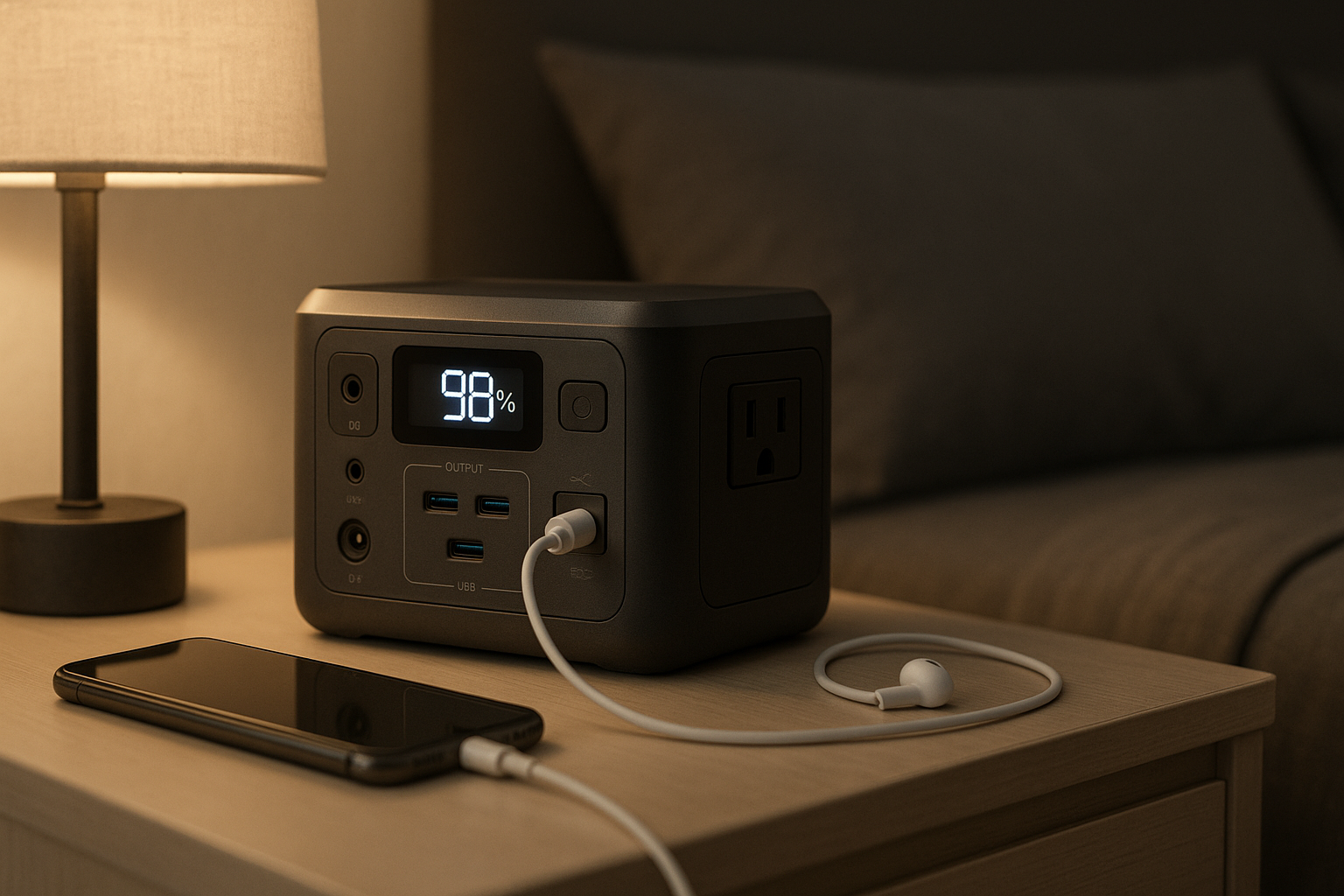
Emergency Power for Home Office: Backup Solutions Ranked

Photo by Jackery Power Station on Unsplash
Emergency Power for Home Office: Backup Solutions Ranked
A power outage at 2 PM cuts your home office dark. Your laptop battery lasts 90 minutes. Without backup power, you lose the client call, unsaved work, and the deadline. Remote work demands uninterrupted power—and the grid doesn’t always deliver.
This guide walks you through three tiers of backup power: from compact UPS units that protect your immediate workspace to portable power stations that can run your entire office setup for hours, to permanent backup generators for peace of mind. We’ll cover what each solves, how long it actually runs your equipment, and which fits your office setup and budget.
The Three Tiers of Home Office Backup Power
Home office power backup breaks into three distinct categories, each solving a different problem:
Uninterruptible Power Supplies (UPS) are designed to bridge the gap between outage and action. They kick in instantly, giving you 15–30 minutes to save work and shut down gracefully. Most home office workers start here.
Portable Power Stations (battery-based, usually 300–3000 Wh) run your setup for 2–12 hours depending on load. They’re silent, require no fuel, and can charge from wall outlets, solar panels, or car chargers. They’re the sweet spot for remote workers who want real runtime without a generator.
Backup Generators (fuel-based or hybrid) provide 8+ hours of runtime and can power your entire home, but they’re louder, require fuel storage, and cost more upfront. Most home office workers don’t need this tier unless they work from home full-time and live in a high-outage area.
Why a UPS Alone Isn’t Enough for Remote Work
A standard UPS (500–1500 VA) keeps your laptop, monitor, and router alive for 10–30 minutes. That’s enough to save your work and shut down safely. But if your outage lasts longer, you’re stuck in the dark.
According to the National Weather Service and utility company outage data, most residential power outages last 1–4 hours. A 15-minute UPS leaves you offline for the rest of the day. A portable power station bridges that gap: it runs your laptop and essentials for hours, letting you stay productive or at least stay online until power returns.
The practical move: Use a UPS for instant failover (it’s faster than any battery), then layer a portable power station for extended runtime. How Much Backup Power Do You Actually Need? Wattage Calculator
Calculating Your Home Office Power Needs
Before you buy, measure what you actually run:
- Laptop: 45–100 W (depending on model and load)
- Monitor (LED): 20–40 W
- Router/modem: 5–15 W
- Desk lamp: 10–20 W (LED; incandescent pulls much more)
- Phone charger: 5–10 W
- Headset/webcam: 5–10 W
A typical home office setup runs 100–150 W during active work. A portable power station rated 500 Wh would run this setup for 3–4 hours (accounting for inverter losses).
To calculate your own: multiply your total wattage by the hours you want to run, then divide by 1000 to get watt-hours (Wh). A 150 W setup for 4 hours = 600 Wh minimum.
How Much Backup Power Do You Actually Need? Wattage Calculator
Portable Power Stations: The Best Fit for Home Office
Portable power stations are silent, require no fuel, and can recharge from AC outlets (8–12 hours), 12V car chargers (12–24 hours), or solar panels (varies by panel wattage). For remote workers, they’re the practical middle ground.
Key specs to evaluate:
- Capacity (Wh): 300–1000 Wh covers most home office needs. Anything under 300 Wh runs a laptop only; over 1000 Wh gives you 8+ hours of full setup runtime.
- Continuous output (W): Must be at least 150 W for a laptop and monitor. Look for 300+ W for headroom.
- AC outlets: At least two, preferably three. You’ll plug in the laptop charger, monitor, and router simultaneously.
- Recharge speed: Faster AC recharge (under 2 hours) means you can top up during lunch and be ready for the next outage.
- Noise: Portable stations are silent when discharging. Recharging from AC is also silent (no generator noise). This is a huge advantage over fuel-based backup.
Per manufacturer spec sheets and owner reviews across Amazon, models in the 500–1000 Wh range typically deliver 4–8 hours of home office runtime. Smaller units (300–500 Wh) give 2–4 hours; larger ones (1500+ Wh) stretch to 12+ hours but cost significantly more.
UPS Systems: Instant Failover for Your Workspace
A UPS is not a long-term power solution—it’s an insurance policy. The moment power cuts, the battery engages instantly (no gap, no reboot). You get 10–30 minutes to:
- Save your work
- Close applications gracefully
- Shut down your laptop and monitor
- Switch to your portable power station if you have one
For home office workers, a mid-tier UPS (1000–1500 VA, which translates roughly to 600–900 W continuous output) covers a laptop, monitor, and router. Per owner reports on tech forums, most people keep a UPS in the office closet and never think about it until the power actually fails—then it’s invaluable.
Why not rely on a UPS alone? The battery is small by design (to keep it affordable and compact). A typical UPS exhausts its battery in 15–30 minutes under load. If the outage lasts longer, you’re back to no power. The UPS is the first line of defense; the portable power station is the second.
Generators: When You Need Hours of Runtime
Fuel-based generators (portable or whole-home) are overkill for most home office workers, but they make sense if:
- You work from home full-time and live in an area with frequent, long outages.
- You want to power your entire home (office, kitchen, climate control) during an outage.
- You have a large household and need to run multiple devices simultaneously.
Portable generators (3–7 kW) run 8–16 hours on a tank of fuel, but they’re loud (70–90 dB), require fuel storage, and need periodic maintenance. Whole-home generators (10+ kW) are permanently installed, run on natural gas or propane, and activate automatically—but they cost thousands and require professional installation.
For a home office alone, a portable power station is quieter, cleaner, and more practical.
Charging Your Portable Power Station: Three Methods
One advantage of portable power stations is flexibility in recharging:
AC wall outlet (home): 8–12 hours to full charge. Cheapest and fastest if the outage is short and power returns before you’re depleted.
12V car charger: 12–24 hours to full charge. Useful if you’re stranded or want to top up while driving. Slower than AC but works anywhere.
Solar panels: Runtime varies by panel wattage, sunlight, and battery capacity. For example, a 500W solar panel paired with a 1000 Wh station in full sun delivers approximately 8 hours of recharge time. No ongoing fuel cost, but weather-dependent and slower than AC. Useful for long-term preparedness or if you work outdoors.
Most home office workers rely on AC recharge (fast and cheap), then keep solar panels as a backup if outages happen frequently.
Maintenance and Long-Term Reliability
Portable power stations degrade over time. Per manufacturer specifications, lithium-ion batteries (the standard in modern units) retain 80–90% of capacity after 500 full charge cycles, which translates to 1–2 years of daily use or 3–5 years of occasional use.
UPS batteries (lead-acid or lithium) last 3–5 years before replacement. Fuel-based generators require regular maintenance (oil changes, fuel stabilizer, spark plug checks) to stay reliable.
For home office backup, a portable power station you charge occasionally will last 5+ years without noticeable degradation.
Quick Picks by Use Case
Top Picks for Home Office Backup Power
Best for instant failover on a tight budget: APC Back-UPS 1000VA (~ as of August 2026)
A solid UPS handles your laptop, monitor, and router for 15–20 minutes. It’s the fastest failover you can buy and costs a fraction of a portable power station. Pair it with a mid-tier portable station for extended runtime.
Best for 4–6 hours of uninterrupted work: EcoFlow Delta 2 (~ as of August 2026)
Per owner reviews, this mid-tier portable station delivers 1024 Wh of capacity, charges from AC in under 2 hours, and runs a full home office setup for 4–6 hours. It’s silent, compact enough for a desk corner, and has three AC outlets plus USB-C fast charging.
Best for apartment dwellers or renters: Anker 757 PowerHouse (~ as of August 2026)
At 1229 Wh, this unit gives you 6–8 hours of home office runtime, recharges in 2–3 hours, and is portable enough to move between rooms or take to a coworking space if you’re in a pinch. No installation required.
Best for all-day runtime without fuel: Bluetti AC500 + B300S (~ as of August 2026)
If you work from home full-time and want to power your entire office (plus a few lights and a small space heater) for 12+ hours, this modular system scales to 5–15 kWh. It’s pricey but eliminates fuel logistics and generator noise.
Apartment Dwellers: Silent, No-Installation Backup
If you rent or live in a building with noise restrictions, a portable power station is your only practical option. Generators are loud and often prohibited; a whole-home UPS is expensive and requires professional installation. A portable station plugs into any outlet, charges silently, and runs your office silently.
Capacity-wise, aim for 500–1000 Wh if you work part-time, or 1000+ Wh if you’re full-time.
FAQ
What’s the difference between Wh and Watt capacity? Watt-hours (Wh) measure total energy storage; Watts (W) measure power output. A 500 Wh battery can deliver 100 W for 5 hours, or 500 W for 1 hour. When choosing a portable station, check both: you need enough Wh for your runtime and enough W for your peak load (e.g., laptop charger + monitor).
Can I use a portable power station outdoors in rain? Most portable power stations have water-resistant cases but are not fully waterproof. Avoid submerging them or exposing the AC outlets to direct rain. If you work outdoors during outages, keep the station under a canopy or cover.
Do I need both a UPS and a portable power station? For home office workers, yes. The UPS is instant (no reboot lag); the portable station is long-duration. Use the UPS to bridge the first 15–20 minutes, then switch to the portable station for extended runtime. If you only buy one, choose the portable station—it covers longer outages, even if failover isn’t instant.
Can I use a portable power station to charge my laptop while also running a monitor? Yes. A 500+ Wh station with 300+ W continuous output can run a laptop charger (65–100 W) and monitor (20–40 W) simultaneously for several hours. Check the station’s specs for continuous output, not just peak output.
How often should I recharge my portable power station if I’m not using it? Per manufacturer guidance, recharge every 3–6 months if you’re storing it long-term. Lithium-ion batteries degrade faster if stored at 0% or 100% charge; aim for 50% if you’re storing for months. Most home office workers just keep it plugged in and topped off—the trickle charge is negligible.
Is a portable power station worth it if outages are rare in my area? If outages happen less than once per year, a UPS alone might suffice. But if you work from home and a 4-hour outage costs you a day’s income, a portable station is cheap insurance. They’re also useful for camping, tailgating, or emergency preparedness beyond just power outages.
Summary
Home office backup power breaks into three tiers: UPS systems for instant failover (10–30 minutes), portable power stations for extended runtime (4–12 hours), and generators for all-day power or whole-home coverage.
For most remote workers, a mid-tier portable power station (500–1000 Wh) is the sweet spot. It’s silent, requires no fuel, charges from a wall outlet in 2–3 hours, and runs a full office setup for 4–8 hours. Layer a UPS in front of it for instant failover, and you’ve got a robust backup strategy that won’t fail you during the next outage.
Apartment dwellers and renters should stick with portable stations (no installation, no noise). Full-time remote workers in high-outage areas might justify a larger system or even a whole-home generator. But for most people working from home, a portable power station is the practical, affordable, and reliable answer.